Skip to content · ഉള്ളടക്കത്തിലേക്ക്

AI-യോട് മലയാളത്തിൽ സംസാരിക്കാം, മറുപടി കേൾക്കാംTalk to AI in Malayalam and hear the answer

By Alan Varghese Shaji · Updated

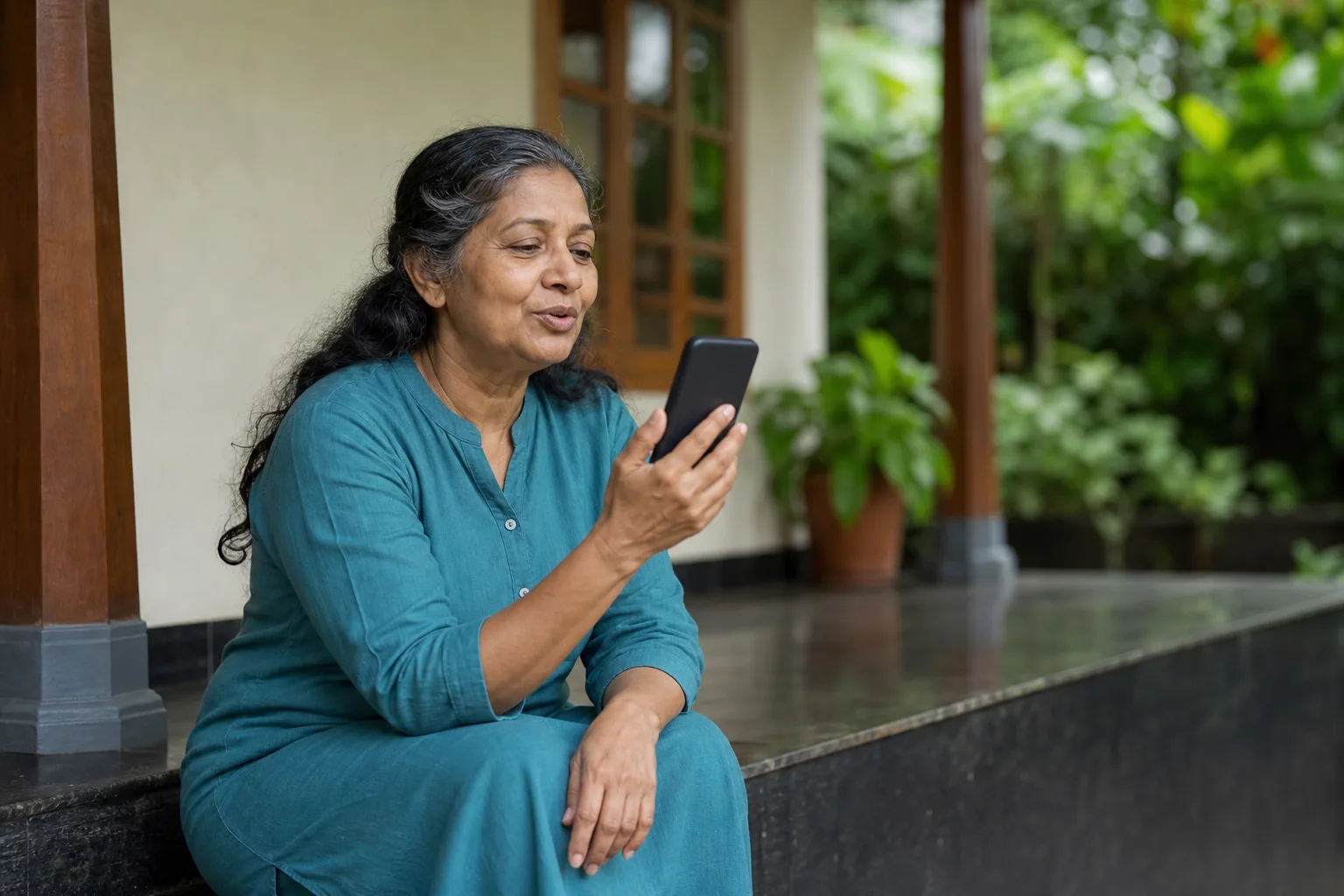
വീട്ടിലെ വരാന്തയിൽ ഫോണിനോട് സംസാരിക്കുന്ന സാങ്കൽപ്പിക വ്യക്തിയുടെ AI സൃഷ്ടിച്ച ചിത്രം.

ടൈപ്പിന് പകരം സംസാരിക്കാം. ഇത് ഉദാഹരണ ചിത്രമാണ്; യഥാർത്ഥ ഉപയോക്താവിന്റെ ചിത്രമോ അനുഭവസാക്ഷ്യമോ അല്ല.

Speak instead of typing. Illustrative scene; the person shown is not a real customer or testimonial.

AI-generated illustrative photo of a fictional woman speaking toward a phone on a Kerala veranda.

AI ഉപയോഗിച്ച് തയ്യാറാക്കിയ ചിത്രംAI-generated visual

Engane.AI-യിലെ വോയ്‌സ് മോഡിൽ മലയാളം തിരഞ്ഞെടുത്ത് ചോദ്യം പറഞ്ഞാൽ മതി; മറുപടി മലയാളത്തിൽ ഉറക്കെ കേൾക്കാം. ടൈപ്പ് ചെയ്യേണ്ടതില്ല. Android ആപ്പിലും ലാപ്‌ടോപ്പിലെ Chrome, Edge, Safari ബ്രൗസറുകളിലും ഇത് പ്രവർത്തിക്കും. ശബ്ദവും സംസാരവേഗതയും നിങ്ങൾക്ക് തിരഞ്ഞെടുക്കാം.

With Malayalam selected in Engane.AI, voice mode lets you ask a question out loud and hear the answer in Malayalam — no typing. It works in the Android app and in Chrome, Edge and Safari on a computer. You can pick one of fourteen Malayalam AI avatars — each with its own voice and personality — and set the speaking pace.

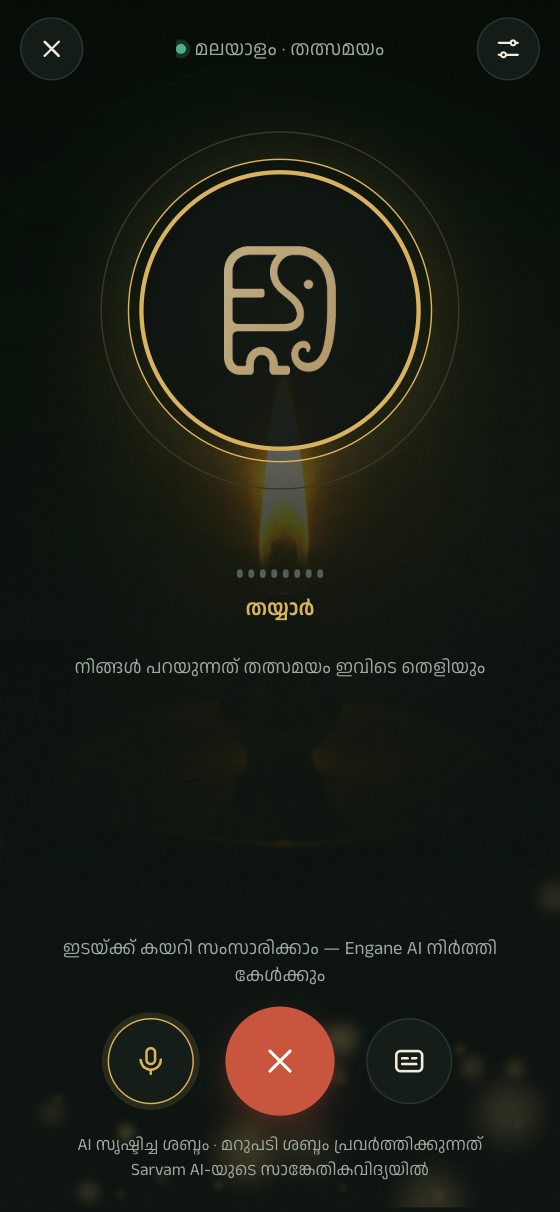
Engane.AI voice mode on a phone, ready to listen
Engane.AI ആപ്പിന്റെ യഥാർത്ഥ സ്ക്രീൻActual Engane.AI app screenshot

മലയാളം

വോയ്‌സ് മോഡ് എന്താണ്?

ചോദ്യം പറഞ്ഞ് AI സൃഷ്ടിച്ച ശബ്ദത്തിൽ മറുപടി കേൾക്കാം.

ഫോണിൽ ടൈപ്പ് ചെയ്യാൻ മടിയുള്ളവർക്കും, പാചകം ചെയ്യുമ്പോഴോ വണ്ടി കാത്തുനിൽക്കുമ്പോഴോ കൈ ഒഴിവില്ലാത്തവർക്കും വേണ്ടിയുള്ളതാണ് വോയ്‌സ് മോഡ്.

ഒരു സാധാരണ ഫോൺ വിളി പോലെ: നിങ്ങൾ സംസാരിക്കുന്നു, Engane കേൾക്കുന്നു, എന്നിട്ട് മലയാളത്തിൽ മറുപടി പറയുന്നു. നിങ്ങൾ പറഞ്ഞതിന്റെ എഴുത്തുരൂപം മാത്രമാണ് സന്ദേശമായി പോകുന്നത്.

മറുപടി പറയുന്നത് AI സൃഷ്ടിച്ച ശബ്ദമാണ്, യഥാർത്ഥ മനുഷ്യനല്ല. സാധാരണ ചാറ്റിലും ഏറ്റവും പുതിയ മറുപടിക്ക് അടുത്തുള്ള സ്പീക്കർ ബട്ടണിൽ തൊട്ടാൽ അത് ഉറക്കെ വായിച്ചുകേൾക്കാം. സാങ്കേതിക വിശദാംശങ്ങൾ മലയാളം വോയ്‌സ് AI പേജിൽ ഉണ്ട്.

മറുപടി ശബ്ദം പ്രവർത്തിക്കുന്നത് Sarvam AI-യുടെ സാങ്കേതികവിദ്യയിൽ. Engane is an independent app by Thompson Consulting (OPC) Private Limited, not a Sarvam product.

എങ്ങനെ തുടങ്ങാം

വോയ്‌സ് തുറന്ന് മൈക്രോഫോണിന് അനുമതി നൽകി മലയാളത്തിൽ ചോദിക്കാം.
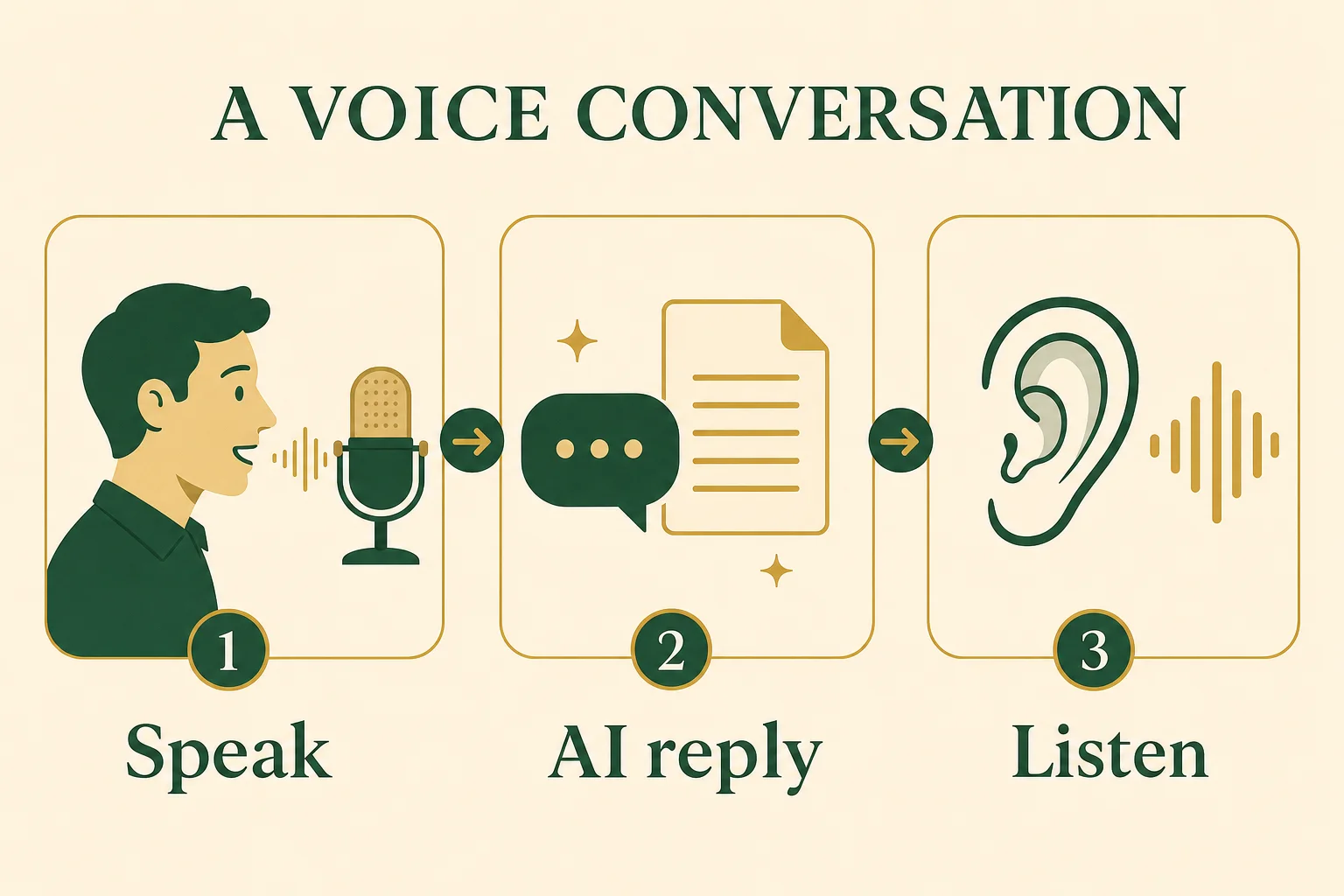
ശബ്ദസംഭാഷണത്തിന്റെ മൂന്ന് ഘട്ടങ്ങൾ: സംസാരിക്കുക, AI മറുപടി, കേൾക്കുക.

ഒരു ചെറിയ ചോദ്യം ചോദിക്കൂ, മറുപടി കേൾക്കൂ, കൂടുതൽ വ്യക്തത വേണമെങ്കിൽ വീണ്ടും ചോദിക്കൂ.

AI ഉപയോഗിച്ച് തയ്യാറാക്കിയ ചിത്രം

  1. engane.ai തുറക്കുക, അല്ലെങ്കിൽ Google Play-യിൽ നിന്ന് Engane.AI ആപ്പ് ഇൻസ്റ്റാൾ ചെയ്യുക. സൗജന്യമായി അക്കൗണ്ട് തുടങ്ങാം — Google അക്കൗണ്ടോ ഇമെയിലോ മതി.
  2. വോയ്‌സ് മോഡ് തുറക്കുക. ആദ്യമായി തുറക്കുമ്പോൾ മൈക്രോഫോൺ ഉപയോഗിക്കാനുള്ള അനുവാദം ചോദിക്കും; "Allow" കൊടുക്കുക.
  3. മലയാളം തിരഞ്ഞെടുത്തിട്ടുണ്ടെന്ന് ഉറപ്പാക്കുക. വോയ്‌സ് തുടങ്ങുന്നില്ലെങ്കിൽ മൈക്ക് ബട്ടൺ അമർത്തുക. സാധാരണ പോലെ സംസാരിക്കുക: "ഇന്ന് കൊച്ചിയിൽ മഴ ഉണ്ടാകുമോ?" അല്ലെങ്കിൽ "ഒരു ചെറിയ കഥ പറഞ്ഞു തരാമോ?"
  4. നിങ്ങൾ നിർത്തുമ്പോൾ Engane മറുപടി മലയാളത്തിൽ പറയും. മറുപടി കേട്ടശേഷം അടുത്ത ചോദ്യം ചോദിക്കാം.
  5. വേണമെങ്കിൽ വോയ്‌സ് മെനുവിൽ നിന്ന് ശബ്ദവും വേഗതയും മാറ്റാം.

ആദ്യം ഒരു ചെറിയ ചോദ്യം പറയാം

കേൾക്കലും മറുപടി ശബ്ദവും പരിശോധിക്കാൻ ഒരു ചെറിയ ചോദ്യം മതി.

വാർത്തയോ നീണ്ട വിശദീകരണമോ ചോദിക്കുന്നതിന് മുമ്പ്, ഈ ഉദാഹരണ ചോദ്യം പറഞ്ഞു വോയ്‌സ് പരീക്ഷിക്കാം.

ഒരു ദിവസത്തിൽ എത്ര മണിക്കൂറുണ്ട്? മലയാളത്തിൽ ഒരു വാക്യത്തിൽ പറയൂ.

മറുപടി വേഗത്തിലാണെങ്കിൽ വോയ്‌സ് മെനുവിൽ വേഗത കുറയ്ക്കാം. നിങ്ങൾ പറഞ്ഞത് തെറ്റായി മനസ്സിലാക്കിയാൽ ചോദ്യം വീണ്ടും വ്യക്തമായി പറയുക, അല്ലെങ്കിൽ ചാറ്റിൽ ടൈപ്പ് ചെയ്യുക.

ശബ്ദവും വേഗതയും

അഞ്ച് മലയാളം ശബ്ദങ്ങളിൽ നിന്ന് തിരഞ്ഞെടുത്ത് സംസാരവേഗത മാറ്റാം.

മലയാളത്തിന് അഞ്ച് AI ശബ്ദങ്ങളുണ്ട് — സ്ത്രീ ശബ്ദങ്ങളും പുരുഷ ശബ്ദങ്ങളും. സംസാരവേഗത 0.5x മുതൽ 2x വരെ മാറ്റാം; തുടക്കത്തിൽ 0.9x ആണ്, അൽപ്പം പതുക്കെ, എളുപ്പം മനസ്സിലാകുന്ന വേഗത. പ്രായമായവർക്ക് വേഗത കുറച്ചുവെക്കുന്നത് സഹായിക്കും.

വോയ്‌സ് മോഡ് ഒറ്റനോട്ടത്തിൽ
കാര്യംവിവരം
ശബ്ദങ്ങൾമലയാളത്തിന് അഞ്ച് AI ശബ്ദങ്ങൾ
വേഗത0.5x – 2x (തുടക്കത്തിൽ 0.9x)
സംസാരിക്കാവുന്ന ഭാഷമലയാളം അല്ലെങ്കിൽ ഇംഗ്ലീഷ്
ഫോൺAndroid ആപ്പ്, ഫോൺ ബ്രൗസർ; iPhone ആപ്പ് ഉടൻ വരുന്നു
കമ്പ്യൂട്ടർChrome, Edge, Safari (Firefox-ൽ കേൾക്കാൻ ഇപ്പോൾ പറ്റില്ല)

ഫോണിലും കമ്പ്യൂട്ടറിലും

പിന്തുണയുള്ള ഉപകരണത്തിൽ ശാന്തമായ സ്ഥലത്തുനിന്ന് വ്യക്തമായി സംസാരിക്കുക.

Android ആപ്പിൽ വോയ്‌സ് നന്നായി പ്രവർത്തിക്കും. കമ്പ്യൂട്ടറിൽ Chrome, Edge, Safari എന്നിവയിൽ ബ്രൗസറിന്റെ സ്വന്തം സംഭാഷണം തിരിച്ചറിയൽ സംവിധാനമാണ് നിങ്ങൾ പറയുന്നത് എഴുത്താക്കുന്നത്. Firefox-ൽ അത്തരം സംവിധാനമില്ലാത്തതിനാൽ അവിടെ വോയ്‌സ് മോഡിന് ഇപ്പോൾ കേൾക്കാൻ കഴിയില്ല; സാധാരണ ചാറ്റ് ഉപയോഗിക്കാം.

  • ശാന്തമായ സ്ഥലത്ത് നിന്ന് സംസാരിച്ചാൽ കൂടുതൽ കൃത്യമായി മനസ്സിലാകും.
  • ഒരു ചോദ്യം ഒറ്റയടിക്ക് പറയുക; ഇടയിൽ വലിയ ഇടവേള വേണ്ട.
  • സ്ഥലപ്പേരുകളും ആളുകളുടെ പേരുകളും വ്യക്തമായി പറയുക.
  • ആപ്പ് മുഴുവനായി ഇംഗ്ലീഷിലേക്ക് മാറ്റിയാൽ വോയ്‌സും ഇംഗ്ലീഷിൽ (ഇന്ത്യൻ ഉച്ചാരണം) ആകും.

ചെലവും സ്വകാര്യതയും

ഉപയോഗപരിധി പരിശോധിക്കുക; Engane സൂക്ഷിക്കുന്നത് സന്ദേശത്തിന്റെ എഴുത്താണ്, ശബ്ദ റെക്കോർഡിങ് അല്ല.

സാധാരണ ചോദ്യവും സ്വകാര്യ വിവരങ്ങൾ സൂക്ഷിച്ച അടച്ച പുസ്തകവും വേർതിരിച്ചുള്ള ചിത്രം.

പാസ്‌വേഡ്, OTP, അക്കൗണ്ട് വിവരങ്ങൾ, ആവശ്യമില്ലാത്ത സ്വകാര്യ വിവരങ്ങൾ എന്നിവ ചോദ്യത്തിൽ ചേർക്കരുത്.

AI ഉപയോഗിച്ച് തയ്യാറാക്കിയ ചിത്രം

  • സൗജന്യ പ്ലാനിൽ ദിവസവും 25 സന്ദേശങ്ങൾ വരെ അയക്കാം; അതിൽ 5 വരെ വോയ്‌സ് ആകാം, ഒരു മാസ സൗജന്യ പരിധിക്കുള്ളിൽ.
  • അതിനപ്പുറം ക്രെഡിറ്റുകൾ ഉപയോഗിക്കാം (1 ക്രെഡിറ്റ് = ₹1); ഒരു വോയ്‌സ് മറുപടിക്ക് ഏകദേശം 2–5 ക്രെഡിറ്റ്. പ്ലാനുകളും പാക്കുകളും വില പേജിൽ കാണാം.

Engane നിങ്ങളുടെ ശബ്ദ റെക്കോർഡിങ്ങുകൾ സൂക്ഷിക്കുന്നില്ല; നിങ്ങൾ പറഞ്ഞതിന്റെ എഴുത്തുരൂപം മാത്രമാണ് സന്ദേശമാകുന്നത്. വിശദമായി സ്വകാര്യതാ നയത്തിൽ വായിക്കാം.

പതിവ് ചോദ്യങ്ങൾ

മലയാളം സംസാരിക്കുന്ന AI ഉണ്ടോ?

ഉണ്ട്. Engane.AI-യുടെ വോയ്‌സ് മോഡിൽ മലയാളത്തിൽ ചോദിച്ചാൽ മലയാളത്തിൽ തന്നെ ഉറക്കെ മറുപടി കിട്ടും. ശബ്ദം AI സൃഷ്ടിച്ചതാണ്.

ഇംഗ്ലീഷ് കലർത്തി സംസാരിച്ചാൽ മനസ്സിലാകുമോ?

മലയാളത്തിലോ ഇംഗ്ലീഷിലോ സംസാരിക്കാം. സാധാരണ സംസാരത്തിലെ ഇംഗ്ലീഷ് വാക്കുകൾ കലർന്നാലും പ്രശ്നമില്ല.

വോയ്‌സ് മോഡ് സൗജന്യമാണോ?

സൗജന്യ പ്ലാനിൽ ദിവസം 5 വരെ വോയ്‌സ് സന്ദേശങ്ങൾ (ആകെ 25 സന്ദേശങ്ങൾക്കുള്ളിൽ), ഒരു മാസ പരിധിക്കുള്ളിൽ. അതിനുശേഷം ക്രെഡിറ്റുകളോ പ്ലാനോ വേണം.

ശബ്ദം മാറ്റാൻ പറ്റുമോ?

പറ്റും. വോയ്‌സ് മെനുവിൽ അഞ്ച് മലയാളം ശബ്ദങ്ങളിൽ നിന്ന് ഒന്ന് തിരഞ്ഞെടുക്കാം, വേഗത 0.5x മുതൽ 2x വരെ മാറ്റാം.

എന്റെ ശബ്ദം റെക്കോർഡ് ചെയ്ത് സൂക്ഷിക്കുമോ?

ഇല്ല. Engane ശബ്ദ റെക്കോർഡിങ്ങുകൾ സൂക്ഷിക്കുന്നില്ല; എഴുത്തുരൂപം മാത്രം സന്ദേശമാകും.

iPhone-ൽ ഉപയോഗിക്കാമോ?

iPhone ആപ്പ് ഉടൻ വരുന്നു. ഇപ്പോൾ Android ആപ്പും കമ്പ്യൂട്ടറിലെ Chrome, Edge, Safari ബ്രൗസറുകളുമാണ് വോയ്‌സ് മോഡിന് നല്ലത്.

English

What voice mode is

Speak your question and hear an AI-generated reply.

Voice mode is for people who would rather speak than type: parents and grandparents who find a phone keyboard slow, anyone cooking or waiting for a bus with their hands full, or anyone who simply thinks faster out loud.

It feels like a phone call — you talk, Engane listens, and it answers in Malayalam. Only the text of what you said becomes your message.

The voice that answers is AI-generated, not a real person. In the ordinary chat you can also tap the speaker button next to the latest reply to hear it read aloud. For the technical details, see how Malayalam voice AI works in Engane.

Spoken replies powered by Sarvam AI. Engane is an independent app by Thompson Consulting (OPC) Private Limited, not a Sarvam product.

How to start talking

Open voice mode, allow the microphone and ask in Malayalam.

Three stages of a voice conversation: Speak, AI reply, Listen.

Ask a short question, listen to the reply and ask again if you need a clearer explanation.

AI-generated visual

  1. Open engane.ai, or install the Engane.AI app from Google Play. Create a free account with Google or your email.
  2. Open voice mode. The first time, your phone or browser asks for microphone permission — choose Allow.
  3. Make sure Malayalam is selected. If listening has not started, tap the microphone button. Speak naturally: “ഇന്ന് കൊച്ചിയിൽ മഴ ഉണ്ടാകുമോ?” (Will it rain in Kochi today?) or “Tell me a short story.”
  4. When you pause, Engane answers in Malayalam. After listening to the reply, ask your next question.
  5. Open the voice menu if you want a different voice or pace.

Start with a short question

Start with one short question to check listening and playback.

Try this example question aloud before moving to news or longer explanations. It helps you check that listening and playback are working.

ഒരു ദിവസത്തിൽ എത്ര മണിക്കൂറുണ്ട്? മലയാളത്തിൽ ഒരു വാക്യത്തിൽ പറയൂ.

This asks, “How many hours are there in a day? Answer in one Malayalam sentence.” If playback is too fast, lower the pace in the voice menu. If your words were misunderstood, say the question again clearly or type it in chat.

Voices and speaking pace

Choose from fourteen Malayalam AI avatars and change the speaking speed.

There are fourteen Malayalam AI avatars, female and male — Kaveri, Fathima, Meera, Devan, Nikhil, Anjali, Lakshmi, Maria, Nandana, Vivek, Arun, Thomas, Rafi and Suresh — each an original fictional AI character with its own voice and personality; the same cast hosts the AI podcasts. The pace goes from 0.5x to 2x; it starts at 0.9x, a little slower than normal and easy to follow. Slowing it down further often helps older listeners.

Voice mode at a glance
WhatDetails
VoicesFourteen Malayalam AI avatars
Pace0.5x – 2x (starts at 0.9x)
You can speakMalayalam or English
PhoneAndroid app or phone browser; iPhone app coming soon
ComputerChrome, Edge, Safari (Firefox cannot listen yet)

On a phone and on a computer

Use a supported device and speak clearly from a quiet place.

Voice works well in the Android app. On a computer, Chrome, Edge and Safari turn your speech into text with the browser’s own speech recognition. Firefox has no built-in speech recognition, so voice mode cannot listen there yet — use the ordinary chat instead.

  • Speak from a quiet place; background noise makes mistakes more likely.
  • Say one question in one go, without long pauses in the middle.
  • Say place names and people’s names clearly.
  • If you switch the whole app to English, voice mode listens and speaks in English (Indian accent) too.

Cost and privacy

Check your allowance; Engane keeps the message text, not voice recordings.

An ordinary question bubble separated from a locked notebook of private details.

Leave passwords, OTPs, account details and unnecessary personal information out of a question.

AI-generated visual

  • The free plan gives you up to 25 messages a day, up to 5 of them spoken, within a monthly free-usage limit.
  • After that you can use credits (1 credit = ₹1); a full voice turn costs about 2–5 credits, depending on how long the spoken reply is. Plans and packs are on the pricing page.

Engane keeps no voice recordings; only the text of what you said becomes your message. The Privacy Policy explains which services handle your data.

Questions people ask

Is there an AI that speaks Malayalam?

Yes. In Engane.AI’s voice mode you ask in Malayalam and hear the answer spoken in Malayalam, in an AI-generated voice.

Can I mix English words when I speak?

Yes. You can speak in Malayalam or English, and the everyday English words most of us mix into Malayalam are fine.

Is voice mode free?

The free plan includes up to 5 spoken messages a day (within 25 messages in total) and a monthly free-usage limit. Beyond that you need credits or a plan.

Can I change the voice or make it slower?

Yes. Swipe up on the Talk screen to choose among fourteen AI avatars and a pace from 0.5x to 2x; the default is 0.9x.

Are my voice recordings stored?

No. Engane keeps no voice recordings; only the text of what you said is saved as your message.

Does it work on iPhone or in Firefox?

The iPhone app is coming soon. Firefox has no built-in speech recognition, so voice mode cannot listen there yet; use the Android app, or Chrome, Edge or Safari on a computer.

സൈൻ ഇൻ ചെയ്ത് വോയ്‌സ് മോഡ് തുടങ്ങൂ · Sign in and try voice mode

മൈക്രോഫോൺ ഉപയോഗിക്കാൻ അനുമതി വേണം. സൗജന്യ പ്ലാനിന് ദിവസവും മാസവും പരിധികളുണ്ട്.Microphone permission is needed. The free plan has daily and monthly limits.

Works in any browser on a phone, laptop or desktop. Or get the Android app:

Get it on Google PlayComing soonApp Store

Published by Thompson Consulting (OPC) Private Limited on 2026-09-26 · updated 2026-09-29. The app and website design, code, text, question banks (Personality, IQ, Career — except the public-domain IPIP personality items), Malayalam translations, lesson and report formats, illustrations, animations, videos and music made for Engane.AI are owned by or licensed to Thompson Consulting (OPC) Private Limited and protected by the Copyright Act, 1957 and international copyright law.

How to Talk to AI in Malayalam: Voice Guide | Engane.AI